glasspane
overview
glasspane is a translucent desktop overlay for taking notes during meetings, with a one-click AI recap that turns raw notes into clear decisions and action items. Over five weeks, I took it from end to end: defining my own needs as the first user, scoping the requirements, building the app in Tauri (Rust/Preact), and choosing the model behind it.
problem
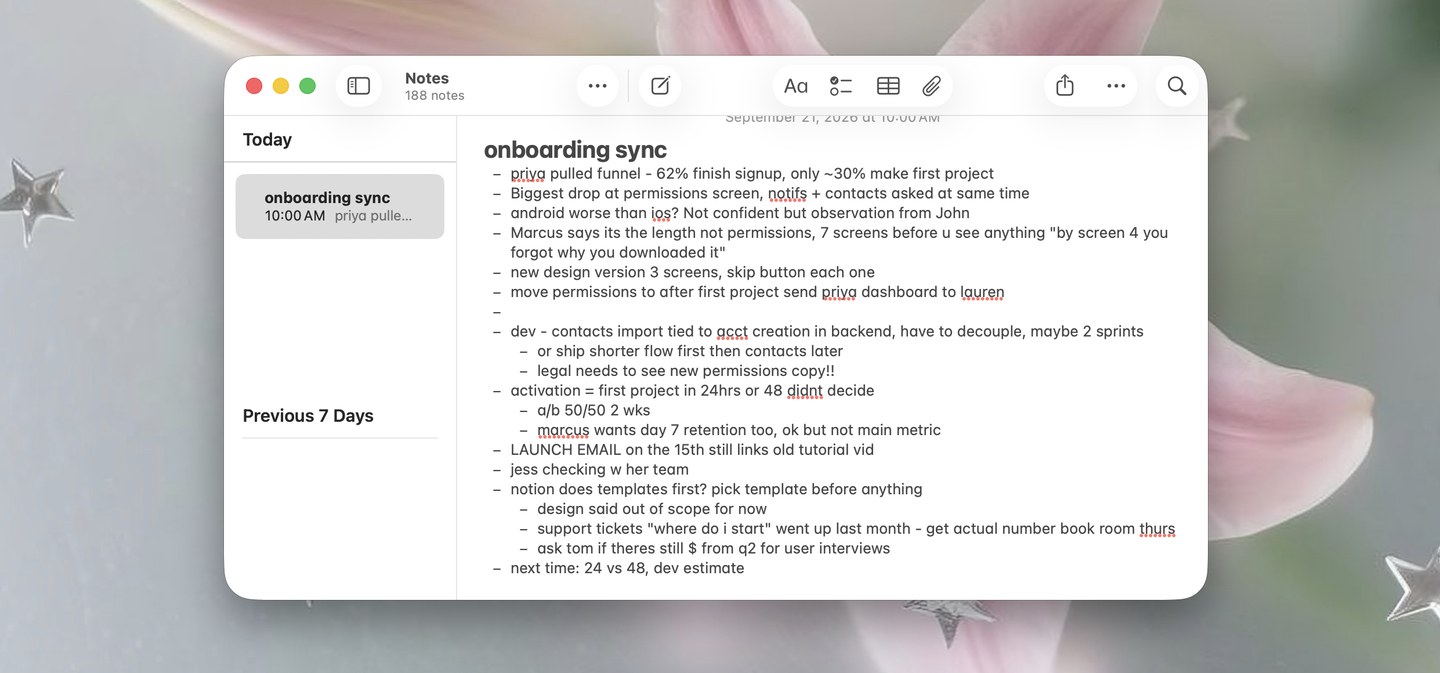
In back-to-back meetings, I type notes quickly in shorthand that is hard to understand later. Cleaning them up took around 20 minutes per meeting, so many notes sat unprocessed in my notes app until they were forgotten. Typing in a separate app also pulled my attention away from the people on the call, and since nothing showed which notes I had already filed, the backlog stayed invisible.
target users
I started with my own workflow as a student and intern moving between classes, internship syncs, and organization meetings, then widened the scope to anyone who takes live notes on video calls.
pain points
Mapping my own note-taking process surfaced 3 points of friction. Switching to a separate notes app broke my focus on the call, my rushed shorthand needed a second pass before it made sense, and nothing showed which notes had been saved somewhere permanent, so important details slipped through. These became the MVP's three must-have requirements: keep users visually present on the call, turn shorthand into clear notes in one step, and show which notes still need to be saved.
solution
I turned each pain point into a requirement and shipped 3 core features. I also descoped automatic Google Docs filing, since two days of OAuth work would only save a 15-second copy and paste:
Stay present on the call
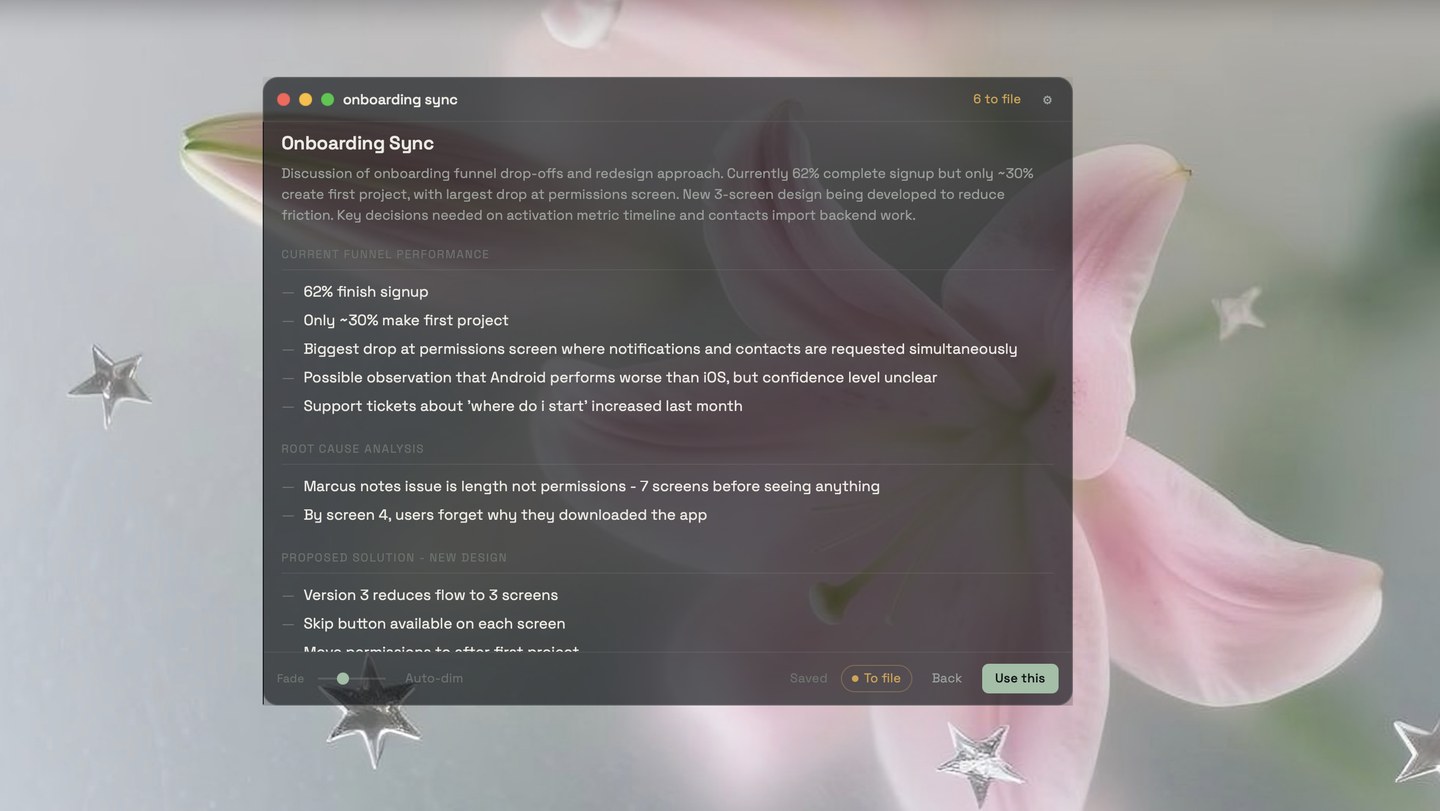
A frameless overlay floats above the video call, and its background can turn fully transparent while the notes stay readable, so clicks pass through to the call while I listen.
Organize notes in one click
Claude turns raw notes into a structured recap with a summary, decisions, action items, and open questions that I can edit right in the overlay.
Make the backlog visible
Each note is marked as "to file" or "in Docs," and an unfiled count in the title bar shows what still needs to be saved.